Effortless Language Customization
Sharp MFPs allow users to change the display language instantly, ensuring seamless operation for employees who prefer different languages. Whether in an international office or a bilingual work environment, this feature enhances accessibility and usability.
How It Works
- Access the Settings Menu – Navigate to Operation Settings on the MFP’s touchscreen.
- Select Language Preferences – Choose from a list of available languages.
- Apply Changes Instantly – The interface updates immediately, allowing users to work in their preferred language.

Step-By-Step Instructions
- Tap Settings on the home screen.
- Tap the admin login button at the top-right of the screen and enter the administrator password.
- Tap the System Settings tab.
- Tap the Home Screen button.
- Tap the link for the button position you want to edit.
- Select the Language option, choose the language to display, then tap Submit.
- Repeat the previous steps for as many languages as needed.

Key Benefits
- Improved User Experience – Employees can interact with the MFP in their native language, reducing errors and increasing efficiency.
- Enhanced Accessibility – Supports diverse teams and promotes inclusivity in global workplaces.
- Seamless Authentication – When user authentication is enabled, the MFP prioritizes the language set in the user’s profile, streamlining operations.
Ideal for Multinational Offices
Sharp’s language-switching capability is particularly beneficial for:
- International corporations with multilingual staff.
- Educational institutions serving diverse student populations.
- Government agencies requiring multi-language support.
Final Thoughts
Sharp MFPs redefine convenience with their instant language-switching feature, ensuring smooth operation in multilingual environments. Whether printing, scanning, or managing documents, users can work effortlessly in their preferred language.
Request a Quote for Copier Lease or Purchase

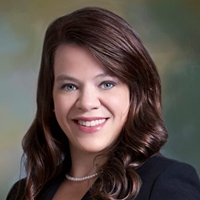
Kimberly Gonzalez founded Platinum Copier Solutions in 2007 after building her career in the copier and office equipment industry, which began at just 19 years old, selling Xerox copiers. Her early hands-on experience sparked a lifelong passion for document systems and office technology, ultimately inspiring her to launch her own company. As the 100 percent owner, Kimberly continues to lead Platinum Copier Solutions with a clear vision and commitment to quality.